The setup
April 2022, second year at PSG Tech. The DBMS lab had a submission due on Monday and I had spent the weekend telling myself I would start the project on Saturday morning. I started on Saturday at 2:38 AM. The clock in the commit history is not lying about this.
Streamlit was new to me. I had watched two YouTube videos about it earlier that week and decided the whole to-do app would be a Streamlit front-end with a MySQL back-end because the assignment said the word "database" and MySQL was what we had running in the lab machines. I already had a root user with password 1234 in my local install, which is what you get when a lab tech sets up XAMPP once in freshman year and nobody ever touches it again.
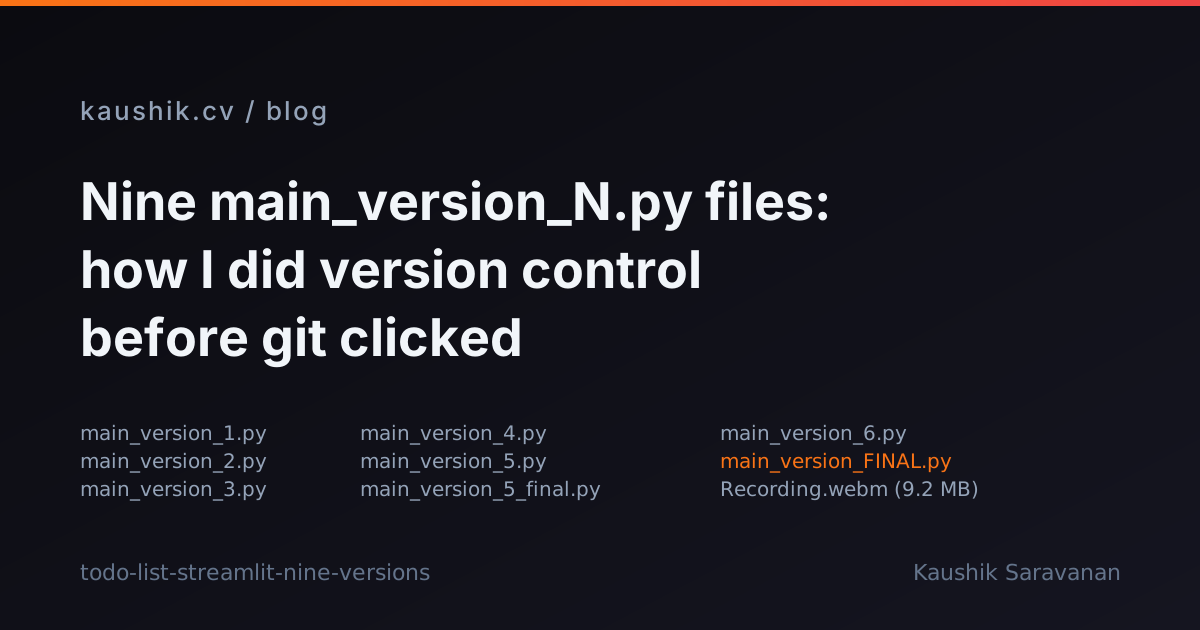
The build took about 36 hours. First commit at 02:38 IST on 2022-04-16. Last commit at 14:23 IST on 2022-04-17. Twelve commits in that window, all mine, no other committer. In between, I slept a bit, ate whatever the mess was serving, and produced nine files with names like main_version_1.py, main_version_2.py, all the way to main_version_FINAL.py.
Nine files as a version-control system
If you ls the repo today, you see this in the root:
main.py
main_version0.py
main_version_1.py
main_version_2.py
main_version_3.py
main_version_4.py
main_version_5.py
main_version_6.py
main_version_FINAL.py
Recording.webm
No requirements.txt. No .gitignore. No LICENSE. No tests. A 9.2 MB screen recording of the finished app checked into git because that is what the assignment rubric asked for and it did not occur to me that a repo was not a file drop.
Nine numbered main_version_N.py files in the same folder was, to student me, a completely reasonable version-control system. I knew git existed. I was even using it, in the sense that I was committing to a repo on GitHub. What I did not understand was that git and git checkout were the same feature. Branches were a thing other people had. So I would open main_version_3.py, add code to it, save it as main_version_4.py, and if that broke, I would go back to 3 and try again.
The commit messages narrate the workflow better than I can. A few, reproduced with spelling preserved (the order I remember, not necessarily wall-clock; git says my "1st working version" landed just before I broke it again for the "Not workign for repeated tasks" tag):
1st working versionNot workign for repeated tasksWorking but updates when I click only on save stateWORKING
That is what debugging looked like. The all-caps WORKING commit is a small piece of joy, in retrospect. It is the moment where the app started doing the thing.
The Streamlit rerun-model bug
The commit "Working but updates when I click only on save state" is the one that tells me what I actually learned that weekend. The symptom was this: I would type a new task into the text input, click the "Add task" button, and the task list on the screen would not update. If I then clicked somewhere else, say a checkbox on an existing row, the new task would suddenly appear.
I did not know why. I sat with it for a couple of hours. I added print statements to a Streamlit app, which is not the best debugging surface because prints go to the terminal and the terminal was showing me the same thing looping every time I touched anything on the page. That was the clue I did not know was a clue.
Streamlit reruns your entire script from top to bottom on every widget interaction. Every button click, every checkbox toggle, every keystroke into a text input. What I was doing in my code was:
- Fetch the tasks from MySQL into a dataframe.
- Draw the table.
- Draw the input and the button.
- If the button was clicked on this run, insert the new task into MySQL.
The order was wrong. The read happened before the write. On the run where the button was clicked, the table you saw was rendered from the pre-insert state. The insert did happen, but the next rerun, triggered by some other widget, was what showed you the new state.
I stumbled into the fix: move the insert above the read. Handle the button click, fetch the tasks, then draw the table. The change was two code blocks swapped in order, which took the app from "Working but updates when I click only on save state" to WORKING.
In 2026 I would use st.session_state to hold a pending write, or st.rerun() after the insert, or a form with st.form_submit_button so the whole thing is one atomic click. In April 2022 I did the two-block swap and moved on with my life.
The data flow, drawn
<Mermaid chart={flowchart LR A[User types task] --> B[st.button click] B --> C[Script reruns top to bottom] C --> D[mysql.connector.connect] D --> E[INSERT / UPDATE / DELETE on TASKS] E --> F[SELECT * FROM TASKS] F --> G[st.table renders new state] G --> H[Next widget interaction] H --> C} />
Every arrow into D is a fresh TCP connection to localhost:3306. No pooling, no context manager, no try/finally. The connection is opened, a cursor is grabbed, one statement runs, the connection is left for Python's garbage collector to figure out. On localhost this is fine. On a remote database with a connection cap, this is the kind of thing that gets an app throttled inside an hour.
In 2026 the fix is one decorator: @st.cache_resource on a function that returns the connection. Streamlit caches it across reruns and hands the same handle back. But st.cache_resource did not exist in April 2022 under that name, and I did not know what a resource cache was for anyway.
The abandoned earlier main.py
The file main.py, not to be confused with main_version_FINAL.py, is 261 lines of what I was building before I gave up and simplified. It has a login screen, a change-password flow, an admin view. The schema had two tables. The users-table declaration used VARCHAR2(30) for the username and the password, an Oracle type. MySQL does not have VARCHAR2. I had watched an Oracle tutorial the week before and copy-pasted the shape of the DDL without checking. The file was never going to run against my local MySQL. I do not remember if I ever tried. The passwords were stored plaintext. There was an admin user with hardcoded name and password at the top of the file.
At some point on Saturday afternoon I looked at the login screen, checked the clock, and cut it all. The FINAL build is single-user, with no auth. If you open the page, you see the to-do list. Scope-cutting turned out to be the most useful skill of that weekend, though I did not call it that until years later.
The credentials at the top of every file
Every one of the nine versions starts with:
host = 'localhost'
user = 'root'
pwd = '1234'
db = 'todolist'
Committed in plaintext, at the top of the file, every version. On a local dev box with a bound MySQL that only listens on 127.0.0.1, this is not exploitable. Nobody was going to steal my to-do list. What I did not understand was that this was a reflex, and reflexes carry. Two months later I would push a MongoDB Atlas connection string into a public repo the exact same way, in the exact same spot, at the top of the file. Different database, same muscle memory. The lesson I did not learn from root/1234 I would learn from a leaked Atlas key.
What this weekend was worth
The app worked. The lab submission went in on time. The WORKING commit is still there, three years later, with the all-caps and the exclamation of finally figuring it out. If I open the repo today I can see the shape of a person who was learning three things at once: how to write a Streamlit app, how to talk to MySQL from Python, and how to use git. The Streamlit part I got. The MySQL part I got. The git part I would keep getting wrong for another year.
Nine main_version_N.py files is a fossil of the third one. It is also, honestly, the thing I remember most fondly about the weekend.