What accidentally happened this week
I have been writing retrospective posts on my old college repos. One a day, mostly the 2022 batch, the stuff I built at nineteen while learning what a database was.
On Monday I opened temp.py in Leetcode-Stats-Scraping-Heroku to remind myself how the clock dyno was wired. First line after the imports was a MongoDB Atlas connection string with a plaintext admin password in it. Real cluster, real user, four years old, public repo since the day I pushed it.
On Wednesday I opened main.py in streamlit-dbms. Same shape. Different cluster. Same shrug from past-me.
On Friday I opened the sibling repo, Academic-Project-DBMS-Hotel-Delivery-System. Two connection strings this time, one Atlas and one PlanetScale, both plaintext. A four-digit admin PIN in admin.py for good measure.
Three leaks in a week, all discovered by accident, all because I happened to be writing about the code.
The three findings
Here is what was actually sitting in each repo.
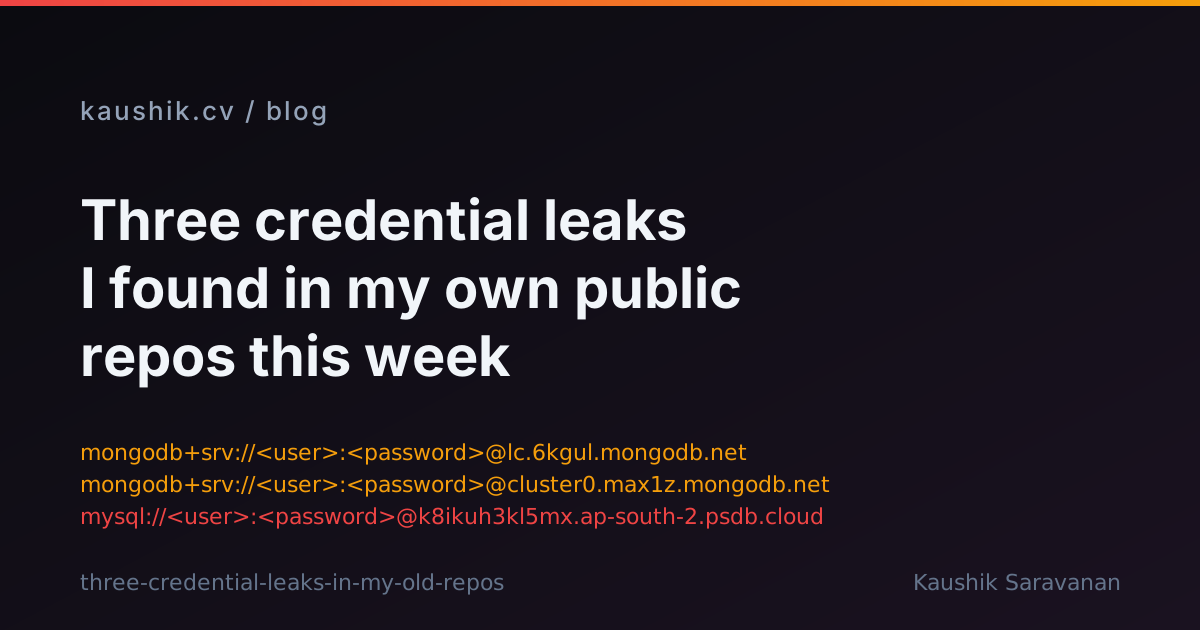
1. Leetcode-Stats-Scraping-Heroku, temp.py. A MongoDB Atlas connection string of the shape mongodb+srv://<user>:<password>@lc.6kgul.mongodb.net. Admin credentials, cluster lc.6kgul, still live when I checked. This one was the scraper's write path for LeetCode stats. Rotation: added a replacement admin user in Atlas, deleted the old one, checked active connections.
2. streamlit-dbms, main.py. Two connection strings in one file. The Atlas one pointed at cluster0.max1z.mongodb.net, again admin, again plaintext. The MySQL one pointed at sql6.freemysqlhosting.net, which is a free-tier throwaway host but still a live credential when pushed. Rotation: replaced the Atlas user, and the free MySQL host had already reclaimed the database on its own timer.
3. Academic-Project-DBMS-Hotel-Delivery-System, main.py and admin.py. Same cluster0.max1z Atlas cluster as (2), so rotating the Atlas user in (2) already covered this repo. The new one was a PlanetScale MySQL branch password on k8ikuh3kl5mx.ap-south-2.psdb.cloud, database kau. PlanetScale killed its free tier in April 2024 so the branch is almost certainly gone, but "almost certainly" is not "confirmed" and the token is still a public artefact. Rotation: regenerated the password on the PlanetScale side, or would have if the database still existed. I also noted the four-digit admin PIN in admin.py, which is not a secret so much as a placeholder anyone can guess.
None of the raw values appear in the retrospective posts. Every code sample I published this week uses <user>:<password> in place of the real thing. That was the one thing I got right on the first pass.
Why this happens to student projects
The rubric says three hours. The rubric does not say anything about environment variables. Environment variables are one more thing to explain to whoever grades the assignment, and the assignment is due tomorrow. So the connection string goes in the file next to the code that uses it, and the file goes in the repo because the submission is a repo link, and the repo is public because private repos on the free tier of 2022 counted against a quota you did not want to think about.
Every one of these three leaks came from that same shortcut. I do not think I was uniquely careless at nineteen. I think the shortcut is the default path, and the default path pushes the secret to a public repo.
The sweep that found the rest
The three above are the ones I stumbled into by writing retrospective posts. After I published the first draft of this post I ran an actual sweep, gh search code --owner kaushiksaravanan for the shapes of common secrets, and it caught more. The sweep took two minutes. It should have been the first thing I did in 2022.
One caveat before I go on. When you run gh search code --owner me as the owner, gh searches your public and private repos together. That is great for triage. It is confusing when you paste the output into a blog post, because half the "findings" are shapes you exposed to the world and half are shapes only your future self can see. I made that framing mistake in the first draft of this section. The corrected framing below splits by visibility.
Truly public exposures (in addition to the three above):
Python_mongodb_template/main.py. A MongoDB Atlas connection string oncluster0.jknnc.mongodb.net, with an admin password that turns out to be the same string as the LeetCode-Stats cluster in the first finding. Password reuse across two clusters. Rotate both users if you have not already.
I found four Atlas clusters, one PlanetScale token, and password reuse between two Atlas clusters. I found no other credentials in the public repos.
Findings in my own private repos (not urgent by public-exposure logic, but worth cleaning up):
Atomixe, increds.txtand.env, holds a classicghp_GitHub Personal Access Token plus twogithub_pat_fine-grained tokens plus four Gemini API keys. Private repo, so no scraper can see this from outside my account. That is not "safe." A compromised account, a mistaken repo flip to public, or a private-repo mirror that leaks changes the calculus overnight. Rotate the tokens, replace with placeholders + a gitignored.env.Random-python-scripts,python-code-dump,leetcode-streamlit-anaysiseach hold an old Atlas connection string. Private, same private-repo hygiene point.PEGASUS/somedump.mdand several older private Android repos (Spoter,Spoter_android,AndroidSwipeableCardStack-master,Android-Firebase-cloud-messaging) haveAIza...keys. The Android ones are the kind you embed in the app; they still need package-name + SHA-1 restrictions in the Google Cloud console so a copy of the key alone cannot make billable calls.
The moral is not that I am uniquely careless. It is that a GitHub account of a certain age is a haystack and the two-minute sweep is a magnet. If you have never run it, you have secrets in the haystack. Not a probability. Just a fact.
The flow, drawn out
flowchart LR
  A[Leetcode-Stats-Scraping-Heroku<br/>public] --> B[Atlas: lc.6kgul]
  C[streamlit-dbms<br/>public] --> D[Atlas: cluster0.max1z]
  E[Academic-Project-DBMS<br/>Hotel-Delivery-System<br/>public] --> D
  E --> F[PlanetScale: k8ikuh3kl5mx<br/>ap-south-2]
  P[Python_mongodb_template<br/>public] --> Q[Atlas: cluster0.jknnc<br/>password reused from #1]
  B --> R1[Rotate Atlas user]
  D --> R2[Rotate Atlas user<br/>covers both repos]
  F --> R3[Regenerate PlanetScale<br/>password]
  Q --> R4[Rotate Atlas user<br/>break password reuse]
The one non-obvious thing this diagram shows is that (2) and (3) share a cluster, so one rotation covers both. And that (1) and (4) share a password across different clusters, so one rotation on the shared account covers both. That is not a security win. It is a reminder that when the same student reuses the same admin user across a semester's projects, one leaked file weakens every project that used that string.
The grep to run on your own account
If you have a GitHub account older than four years, run this. Two flavours, both fast.
The faster one uses gh search code, which searches the current tree of every repo on your account without cloning anything. Two minutes for a hundred repos. This is the one that surfaced the GitHub PAT for me:
for pat in 'mongodb+srv' 'psdb.cloud' 'pscale_pw_' 'sk-proj-' 'sk-ant-' 'AIza' 'xoxb-' 'ghp_' 'github_pat_' 'AKIA' 're_'; do
  echo "=== $pat ==="
  gh search code --owner <you> "$pat" --limit 20
done
The slower one is the historical scan. It clones the last 500 commits of every repo and greps across the full history, so it catches strings you deleted from HEAD but that are still reachable from an older commit. Run this second, once the current-tree sweep is clean:
for r in $(gh repo list <you> --limit 200 --json name --jq '.[].name'); do
  gh api "/repos/<you>/$r/contents" >/dev/null 2>&1 || continue
  git clone --quiet --depth 500 https://github.com/<you>/$r /tmp/audit-$r 2>/dev/null
  echo "=== $r ==="
  git -C /tmp/audit-$r grep -nIE 'mongodb\+srv://|psdb\.cloud|postgres://|mysql://|redis://|amqp://|api[_-]?key\s*=|password\s*=' $(git -C /tmp/audit-$r rev-list --all) 2>/dev/null | head -20
  rm -rf /tmp/audit-$r
done
Adjust the regex for your stack. trufflehog git is the packaged version if you would rather run a tool with entropy scoring and a curated ruleset.
Since I got tired of running the loop by hand every time I remembered to check, I wrapped it into npm run audit-secrets on this repo. It runs gitleaks locally if installed, then does the gh search code sweep with each hit tagged [PUBLIC] or [private], and with --only=public --fix it prints a rotation-URL checklist for just the urgent set. The source is scripts/audit-secrets.mjs and the ruleset is .gitleaks.toml. Copy either to your own repo if useful.
What rotation actually means
Rotation invalidates the credential. Anyone who scraped the string yesterday still has the string, but the string no longer opens the door.
Rewriting git history is a separate operation. git filter-repo --replace-text followed by a force-push removes the string from the public repo, which prevents future scrapes. It does nothing to the copies that already exist in someone's clone, someone's mirror, someone's dataset of "MongoDB connection strings scraped from GitHub 2022."
The order matters. Rotate first. Then, if you care about the cleanup, rewrite history. If you flip the order you are handing every attacker a small window in which they can read the string, notice you are about to rewrite, and race you to use it.
The mental model I settled on: treat any secret pushed to a public repo as compromised the moment the push completes. Not "if noticed." The moment. Rotation is the real security event; history rewrite is polish.
Where to keep secrets going forward
.env in .gitignore from the first commit, not after the first leak. An env.example file next to it with placeholder shapes so a reader knows what to fill in. A pre-commit hook that scans staged content for secret-shaped patterns (gitleaks is what I use now; git secrets and trufflehog both work too). For deployments, the platform's own secret store instead of a file in the repo. Vercel env vars for the Next.js side of my portfolio, GitHub Actions secrets for anything that fires from CI, and equivalents on whichever platform your worker actually runs on.
The pre-commit hook is the piece that actually catches the mistake before it becomes a leak. Everything else is discipline, and discipline at nineteen is a coin flip.
Why I am publishing this
Not because the leaks were interesting. Two Atlas strings and a PlanetScale token is a boring finding. Every public GitHub account of a certain age has some version of this list.
I am publishing it because the audit was so accidental. If I had not decided, on a whim, to write blog posts about my 2022 repos this week, those three strings would still be sitting there. In five years I would have another retrospective sprint and find them then, if I found them at all.
The interesting thing is not the leak. It is that the leak went undetected for four years because I had no scheduled reason to look. So this post is my scheduled reason for you. The grep is above. Go run it.