The problem with one-shot generation
If I ask any text-to-image model for "a nano banana dish in a fancy restaurant," the model has to decide two things at once. What does the dish look like, and what does the restaurant look like around it. The model resolves both in a single denoising trajectory, and the two decisions bleed into each other. The plating leaks warm restaurant tones. The tablecloth pattern echoes the fruit texture. The lighting on the dish is the lighting the model imagined for the room, not the lighting I would pick if I were art-directing this thing frame by frame.
That is fine for a lot of use cases. It is bad if I want the same subject to appear in six different environments, or the same environment to host six different subjects, or if I want to iterate on one half without shaking the other.
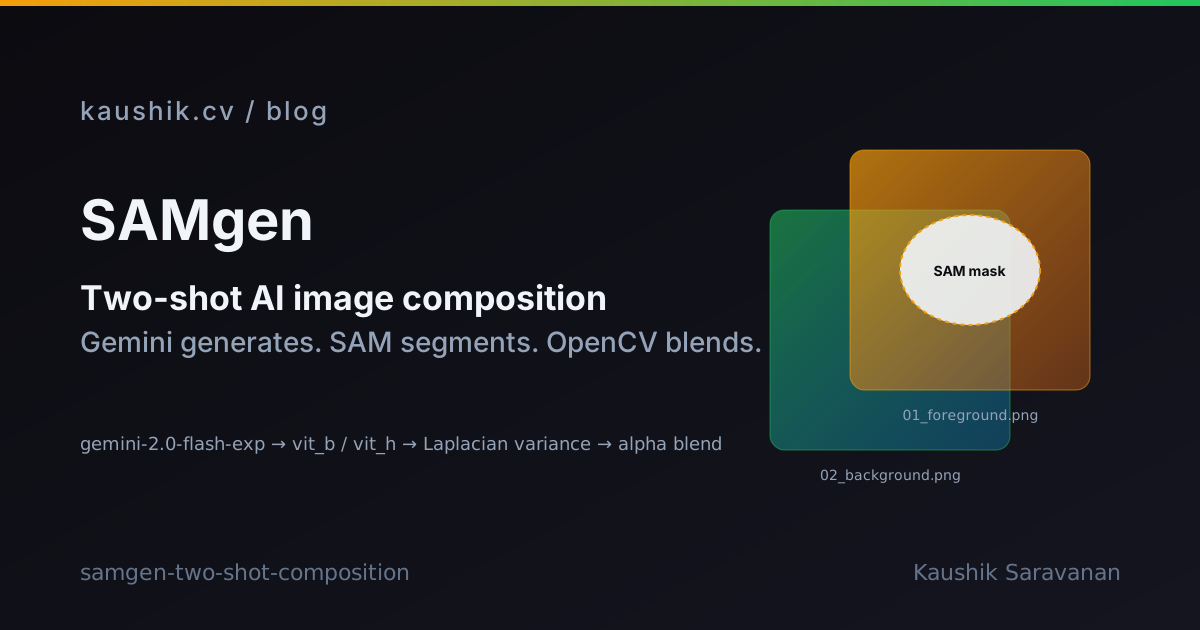
SAMgen is my sketch of the alternative. Generate the two halves separately, cut the subject out with Segment Anything, feather the mask, alpha-blend onto the background. One commit, a0d97f0, initialized on 5 December 2025. About 2,272 lines across the eleven Python files under the repo root.
The three-stage pipeline
flowchart LR
  P[User prompt<br/>e.g. nano banana dish<br/>in a fancy restaurant] --> G1[Gemini 2.0 Flash Exp<br/>foreground image]
  P --> A[Gemini re-analyzes prompt<br/>to extract setting] --> G2[Gemini 2.0 Flash Exp<br/>background image]
  G1 --> S[SAM vit_b or vit_h<br/>AutomaticMaskGenerator]
  S --> B[Blur score<br/>Laplacian variance]
  B --> M[Pick sharpest mask<br/>threshold 100.0]
  M --> F[Gaussian feather<br/>5 px]
  F --> C[OpenCV alpha blend]
  G2 --> C
  C --> O[final_composition.png]
Three stages, one prompt in, one composed image out. Each stage writes an intermediate PNG to a timestamped run directory so I can inspect where the pipeline made a bad call.
Stage 1: foreground generation
gemini_generator.py calls gemini-2.0-flash-exp with the raw user prompt. That is the first PNG, 01_foreground.png. Nothing clever here. The model gets the whole prompt and produces whatever image it thinks best matches "a nano banana dish in a fancy restaurant." At this stage I do not care about the background it invents. Whatever fancy-restaurant environment Gemini imagined is going to get thrown away in stage 3.
Stage 2: background generation
This is where the two-shot idea earns its name. The same Gemini model is called a second time, but now with a prompt that has been re-analyzed to strip out the subject and keep only the setting. For "a nano banana dish in a fancy restaurant," the second call asks Gemini for the fancy restaurant, with no dish in frame. That is 02_background.png.
Doing it as a second Gemini call, rather than trying to parse the prompt with a rule-based splitter, means the setting extraction can handle prompts where the subject and the setting are grammatically entangled. "A cat curled up in the reading nook of a Victorian library" needs the model to understand that the reading nook belongs to the library, not to the cat.
Stage 3: segmentation, sharpness, composition
sam_segmentation.py loads a SAM checkpoint through sam_model_registry from Meta's segment_anything package. Two modes are shipped. fast uses vit_b, a 375 MB checkpoint. quality uses vit_h, 2.4 GB. Both download on first run from dl.fbaipublicfiles.com/segment_anything/. There is a vit_l middle option too at 1.2 GB, but the CLI only exposes fast and quality.
SAM's SamAutomaticMaskGenerator does not know which mask is the subject. It returns every mask it can find. On a food photo, that can be dozens: the plate, the garnish, the fork, individual banana slices, the shadow, the table edge. I need one of them, the one that is actually the nano banana dish.
The trick is a blur score. detect_blur() masks the foreground image with each candidate mask, converts to grayscale, runs cv2.Laplacian(masked_gray, cv2.CV_64F).var(), and keeps the variance. High Laplacian variance means high-frequency detail, which means the region is in focus. Low variance means blur, which means it is probably the background of the foreground image, not the subject.
The threshold is BLUR_THRESHOLD = 100.0. Masks that score above 100.0 are candidates. The highest-scoring one wins. If no mask clears the threshold, the code falls back to the largest-area mask. That fallback is doing quiet work. Any prompt where the subject is intentionally soft-focus, like a dreamy portrait or a bokeh-heavy scene, will fail the sharpness test and fall through to the area heuristic.
The winning mask goes through a Gaussian feather with FEATHER_AMOUNT = 5 pixels, which softens the alpha edge so the paste does not look like a magazine cutout. image_compositor.py then does the OpenCV alpha blend against 02_background.png and writes final_composition.png.
The knobs that matter
config.py (89 lines) exposes the SAM tuning surface as SAMConfig. POINTS_PER_SIDE = 32 controls how densely SAM samples prompt points. PRED_IOU_THRESH = 0.88 and STABILITY_SCORE_THRESH = 0.95 are Meta's recommended filters for mask quality. CROP_N_LAYERS = 1 runs SAM on the whole image plus one level of crops, which helps with small subjects. MIN_MASK_REGION_AREA = 100 filters out speckle.
DEVICE defaults to cpu. There is no CUDA path shipped in this commit. On CPU, vit_h on a single 1024x1024 image is going to be slow. I did not benchmark it, and I am not going to pretend I did.
What the CLI looks like
python main.py "A nano banana dish in a fancy restaurant." \
  --mode quality \
  --output ./runs
Every run writes to a timestamped directory containing 01_foreground.png, 02_background.png, 03_mask.png, and final_composition.png. That folder layout is the thing I would keep even if I rewrote the rest. Being able to open the mask PNG and see exactly which region SAM picked is the difference between a debuggable pipeline and a magic box.
GOOGLE_API_KEY in the environment does the auth. That is the only credential in the stack.
What I do not know yet
The repo has one commit. There are no sample outputs checked in. I have no measured runtime, no side-by-side against one-shot Gemini, no ablation on the blur threshold. test_system.py is 122 lines and I have not opened it to see whether it is a unit test or a smoke test. The README calls the approach "novel." There is no paper behind that word, no benchmark, and no comparison, so treat it as marketing rather than a claim.
What I am reasonably confident about is that the shape is right. Splitting the subject and the environment into two Gemini calls, using SAM as a decoupler between generation and composition, and using a sharpness heuristic to pick the subject mask automatically. Each of those pieces is defensible on its own. Whether the pipeline produces images I actually want to ship is a question the next twenty runs will answer.